
script llamando a consola, whiptail y zenity
20120310
Hay usuarios que prefieren la interfaz gráfica, los que gustan de consola o en la misma terminal. Se puede realizar un script que se ejecute de acuerdo el parámetro con una interfaz distinta.
- Para esto es muy útil separar funciones y dejar en el script sola la lógica
$ cat  eje.bash
#!/bin/bash

#tipo de funcion
 if [ "$1" == "-w" ] #emplear version whiptail
   then source lib/wFunc.eje;
 elif [ "$1" == "-z" ] #emplear version zenity
   then source lib/zFunc.eje;
   else #version consola
     nombre="$@";
     source lib/cFunc.eje;
   fi ;

#obtener el nombre
 if [ -z "$nombre" ]
   then
     ObtenNom;
     nombre=`cat /tmp/algo`;
     rm /tmp/algo
   fi

#mostrar nombre
 Saluda "$nombre";
- Terminal
$ cat lib/cFunc.eje
 #consola
  function ObtenNom
    {
       read -p "como te llamas?
nombre: " nom;
       echo "$nom" > /tmp/algo;
       return 0;
    }
  function Saluda
    {
      echo "Mucho gusto, $1";
    }
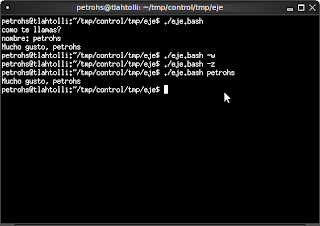
$ ./eje.bash
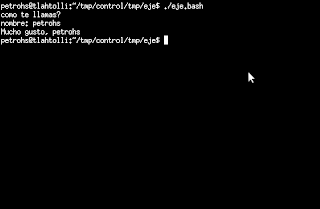
- whiptail
$ cat lib/wFunc.eje
 #whiptail
  function ObtenNom
    {
       whiptail --title "como se llama?" --inputbox "Nombre:" 10 40 2>/tmp/algo;
    }
  function Saluda
    {
      whiptail --msgbox "Mucho gusto, $1"  10 40
    }

$ ./eje.bash -w
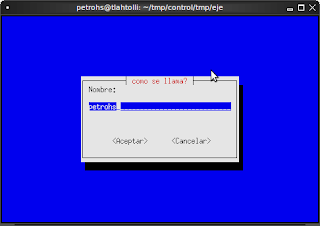
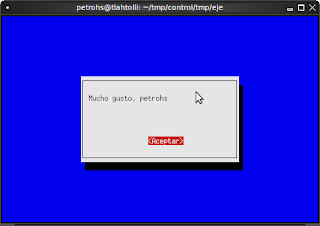
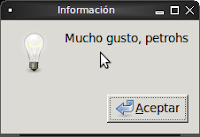
- zenity
$ cat lib/zFunc.eje
 #zenity
  function ObtenNom
    {
       nom=`zenity --title "Como se llama?" --entry  --text "Nombre:"`;
       echo "$nom" >/tmp/algo;
       return 0;
    }
  function Saluda
    {
      zenity --info --text "Mucho gusto, $1";
    }
$ ./eje.bash -z
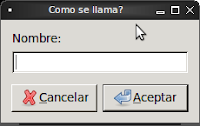
- Línea de comando
$ ./eje.bash petrohs
Anterior: petrohs:tekini